
Photos, size, material, deadlines, and final file goal.
How the job moves
From photos and goals to files you can actually use.
See how a project moves from initial review through capture, data preparation, any separately scoped CAD or comparison work, and final handoff.
Job path
What happens after you send the part details.
This sequence keeps the scope clear before time is spent capturing, reconstructing, comparing, or packaging files.
Scanner choice and setup selected around the part.
Align, clean, and organize scan data for the next step.
Complete the separately scoped CAD or geometry-comparison work.
Package the agreed files with clear context for the recipient.
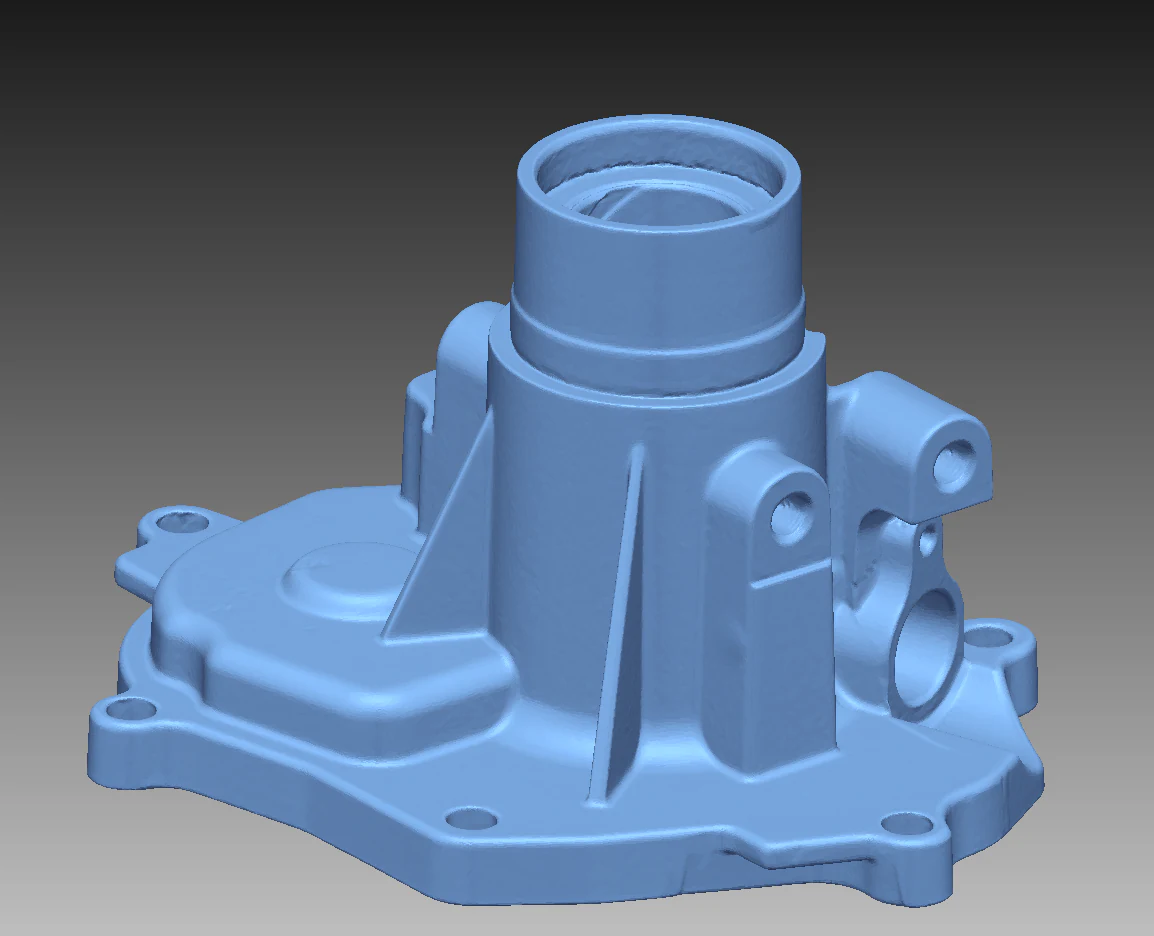
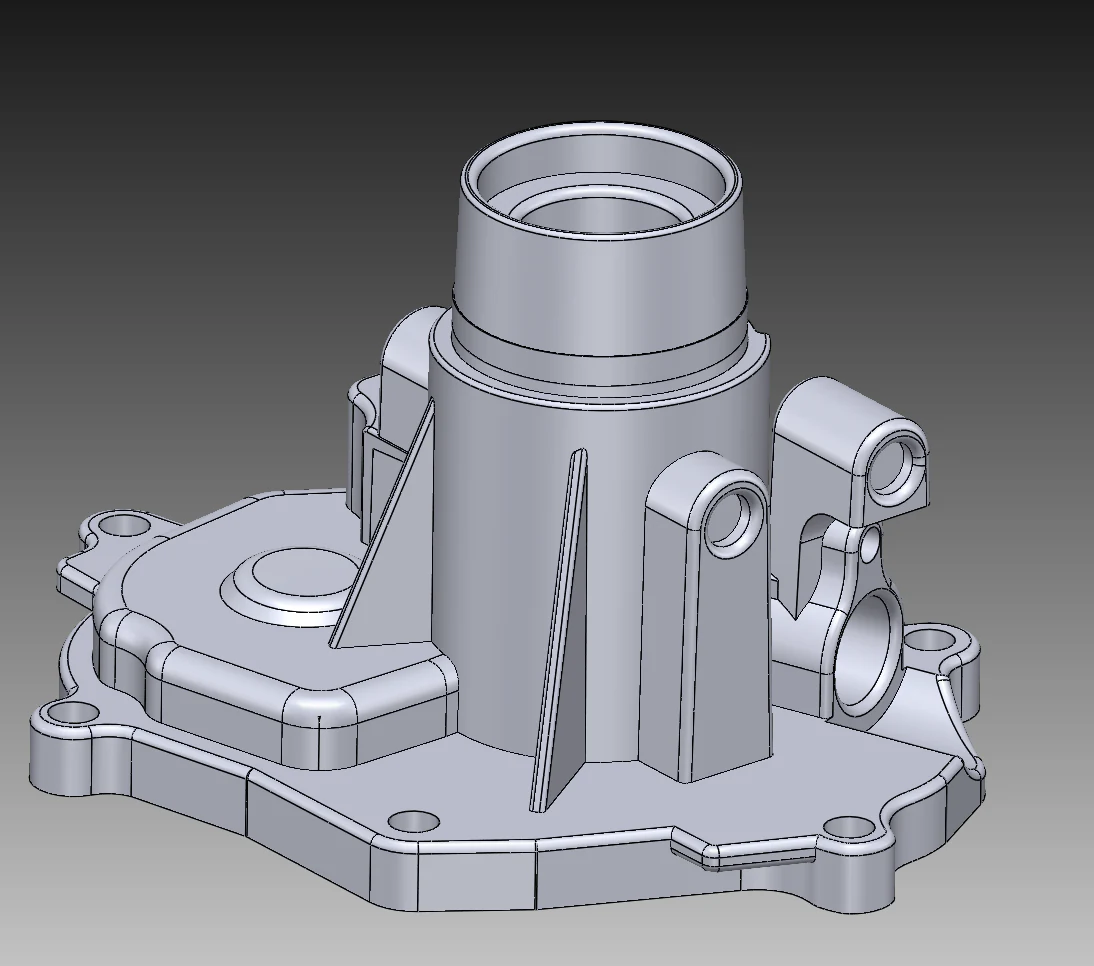
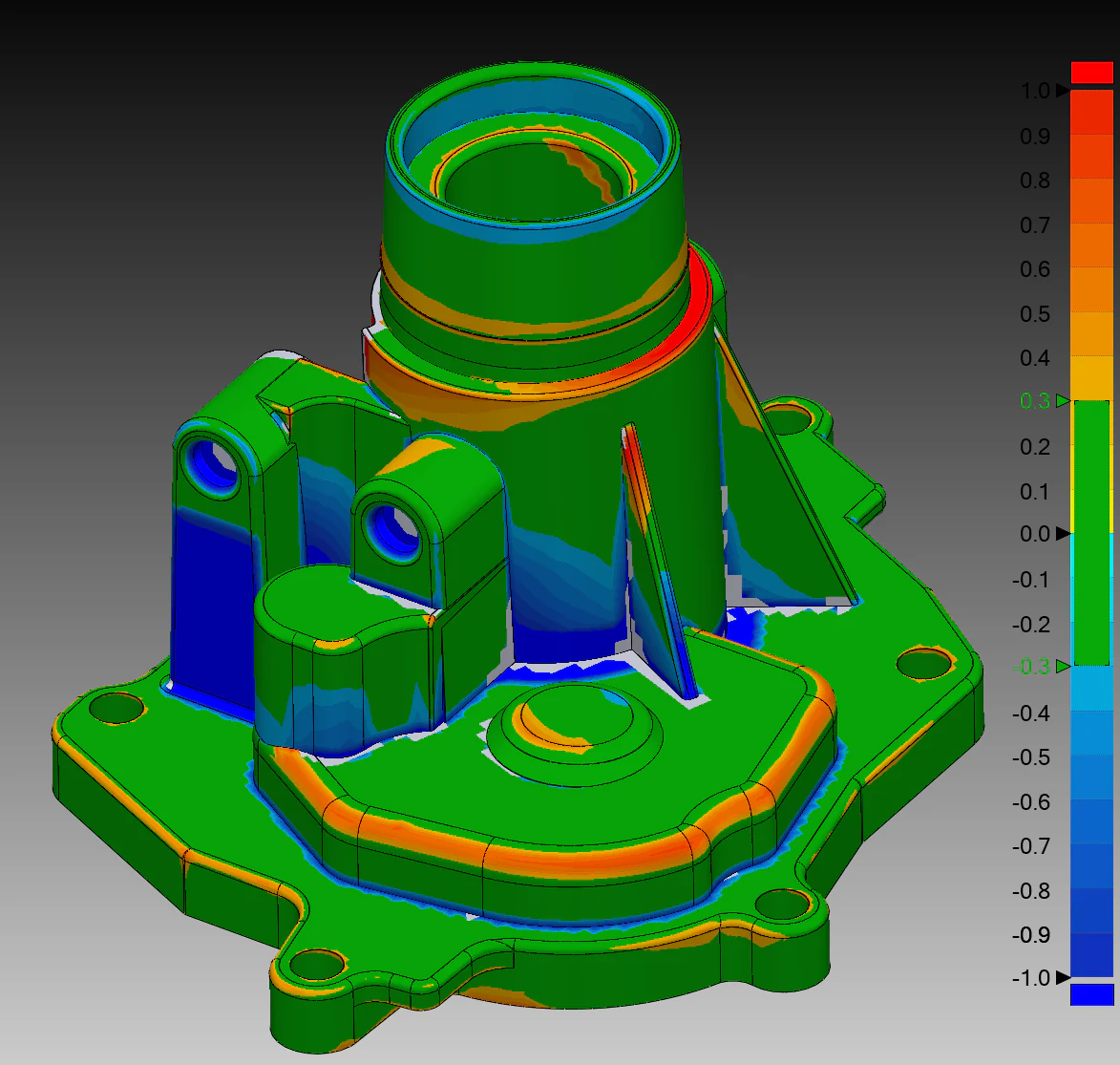
Gate 01Scope is clear before scanning
Gate 02Capture supports the final output
Gate 03Agreed follow-on work is reviewed
Gate 04Files are named and packaged clearly
Plan the handoff
Choose the work by the decision that comes after capture.
“3D scan to CAD” can describe several distinct jobs. Kymerion starts with the file, review, fit question, or downstream handoff you need, then scopes only the capture and follow-on work that supports it.
Name the next decision
Decide whether the result needs to document a part, create an editable CAD reference, compare a measured part to an agreed target, or organize files for a recipient. That choice determines the useful output.
Capture the relevant context
Photos, dimensions, finish, access, installed condition, critical interfaces, timing, and reference files help determine the capture approach and avoid treating a scan as a generic one-size-fits-all deliverable.
Separate measured data from interpretation
A scan produces measured point-cloud or mesh geometry. CAD reconstruction, nominalization of worn geometry, drawings, and deviation review each add separate interpretation and should be agreed before work begins.
Representative proof
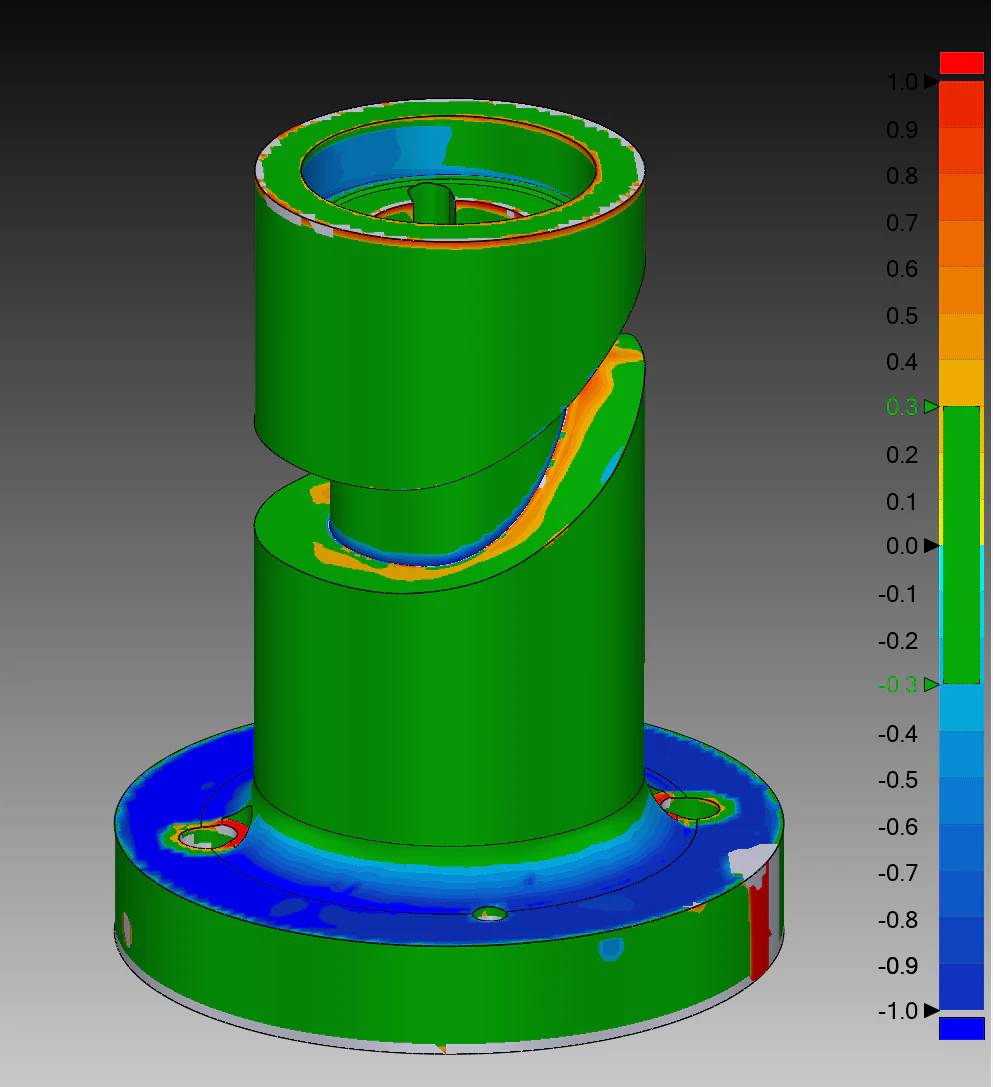
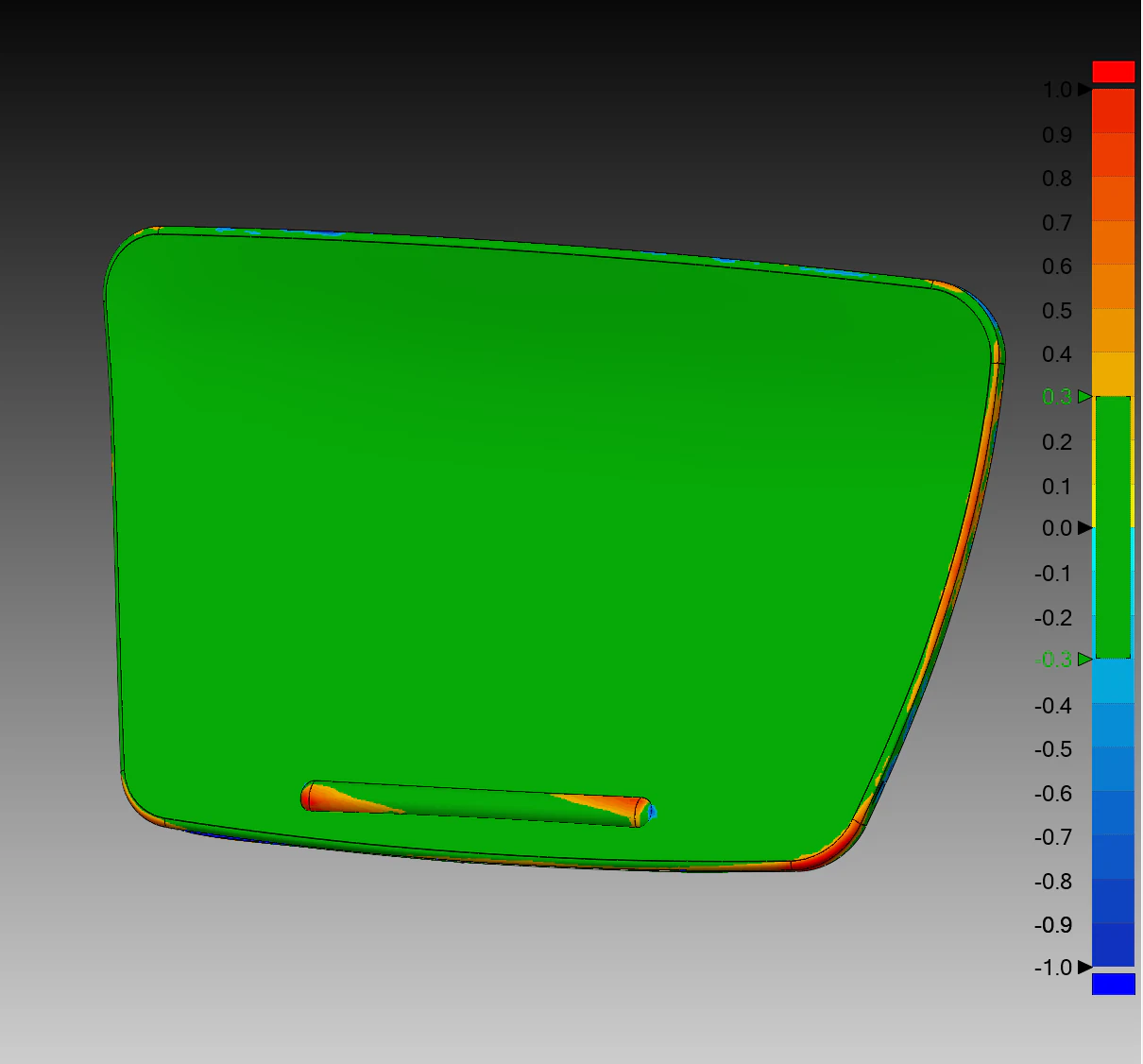
See the same path in real supplied scan, CAD, and comparison imagery.
Workflow questions
Set the expectations before the part is captured.
A clear scope makes it easier to match the capture, files, and any CAD or comparison work to the actual next step.
Can I get a useful 3D scanning quote from photos?
Usually, photos are the right starting point. Include several views, approximate dimensions, material and finish, the part location, whether it can be moved, any critical interfaces, deadline, and the final file or decision you need. Reference CAD or drawings help when fit or comparison matters.
Is editable CAD automatically included with 3D scanning?
No. Capture produces measured point-cloud or mesh geometry. Rebuilding that reference into a defined editable STEP or IGES model is separate CAD reconstruction work with its own modeling, design-intent, and validation decisions.
When does a part need on-site 3D scanning?
On-site capture is useful when a part is large, installed, delicate, difficult to ship, or when surrounding interfaces and site conditions matter. Location, access, working clearance, surface condition, safety requirements, timing, and the intended deliverable are reviewed before a visit is planned.
How do I choose between a mesh, CAD model, and deviation comparison?
Choose the output based on what must happen next. A mesh is useful for measured reference, visualization, archive, or some printing workflows; a CAD model is useful when agreed geometry needs to be edited or exchanged; a comparison view needs an agreed target to evaluate relative form. More than one can be included when the project requires it.
What makes a scan-to-CAD workflow move more smoothly?
The strongest starting information is clear: what the recipient needs, known critical features, allowed treatment of wear or damage, required formats, available reference data, target deadline, and whether the next step is review, fitment, quoting, fabrication, or documentation. That allows capture and follow-on work to be planned around the actual decision.